


I use the Applebee's app as a practical shortcut when I already know where I want to eat and would rather organize the order before arriving. It is a free Food & Drink app from Applebee's, aimed at making restaurant ordering less awkward than handling everything at the counter or over the phone. My overall impression is favorable: it is most useful when I want a direct route from choosing food to arranging a visit, while people who prefer comparing many restaurants may find a delivery marketplace more flexible.
The app has been available since December 2, 2015, and its continued presence is reflected in a 4.1 average from around 41,000 ratings, with more than a million installs. Those figures suggest that it is not an obscure experiment but a familiar companion for Applebee's customers. Still, popularity does not automatically make an app perfect, so I paid attention to the moments that matter in real use: how quickly I can get through an order, how manageable it feels when the menu becomes complicated, and what happens when I am using it on an older phone.
How Applebee's feels during a real order
Speed expectations before you begin
The biggest speed advantage is focus. Instead of opening a broad delivery service and filtering through restaurants, I can start with one chain and move directly toward an Applebee's order. That makes the app a good fit for a planned pickup, a quick meal decision at home, or a group that has already settled on the restaurant.
I would not describe the experience as a replacement for every ordering method. If I am still deciding between pizza, sandwiches, groceries, and several local restaurants, a general delivery app gives me a wider starting point. Applebee's is better when the restaurant choice is already made. That narrower scope is also what keeps the experience from feeling unnecessarily busy.
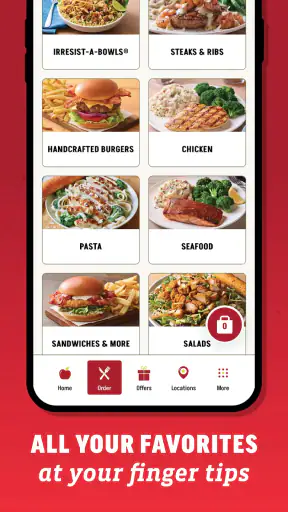
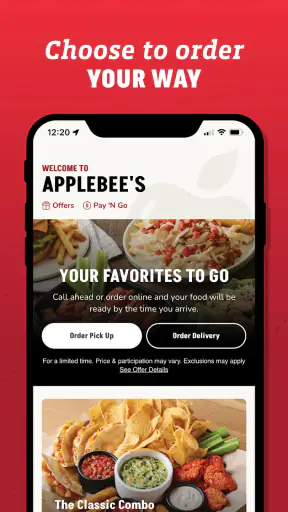
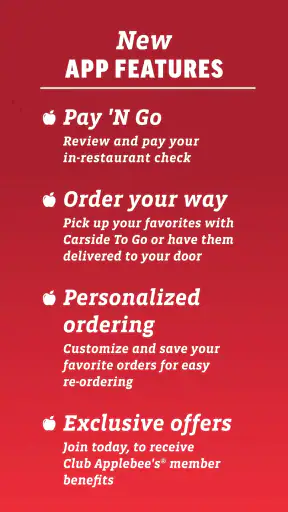
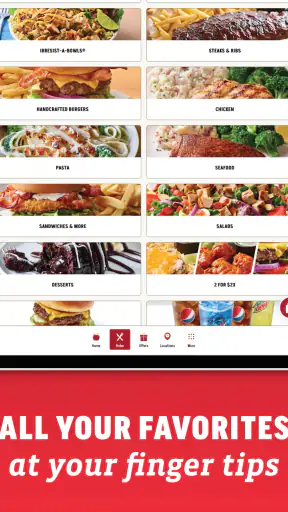
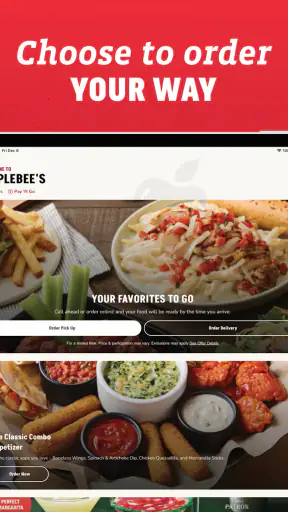
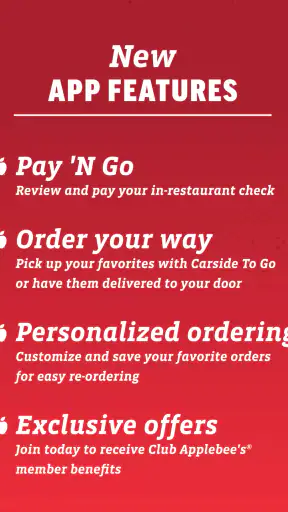
The app's store summary emphasizes easy ordering, customization, and a smoother guest experience. In practice, the meaningful part is not simply reaching a menu; it is being able to review the order with the details that matter before committing. That is especially helpful when several people are choosing different meals or when one person needs a change that would be easy to forget in a rushed phone conversation.
A useful habit is to decide the order structure before opening the app. I first separate the main dishes, sides, drinks, and any requests from the group. Then I work through each item rather than repeatedly jumping back and forth. This reduces the chance of overlooking a customization and makes the checkout stage feel quicker, even when the order itself is fairly large.
What happens during a busy household order
The app becomes more valuable when I am ordering for more than one person. A solo order is usually simple enough to handle in several ways, but a family meal introduces small decisions that are easier to organize on a screen: different entrées, side choices, drink preferences, and changes to individual items. The ability to inspect the basket before finishing is more important here than the initial menu browsing.
One non-obvious trade-off is that customization can save time later while adding time at the beginning. If I am precise about each item, I spend longer making selections, but I am less likely to need a correction after arriving. For a group order, I would rather invest that extra moment in checking the basket than rely on memory or hope that a spoken request was understood.
Another useful workflow is to treat the basket as a final checklist, not just a payment step. I look at the quantity of each item, confirm that the customized choices belong to the correct meal, and make sure the order still reflects what the group decided. This is particularly worthwhile when one person is placing the order for everyone and the conversation has been happening across messages or at the dinner table.
Where I notice more friction is during indecisive browsing. The app is not the ideal tool for discovering an entire local food scene, and I would not open it expecting the comparison tools of a broad marketplace. Its strength is completing an Applebee's decision, not helping me make a restaurant decision from scratch.
Stability when the order gets complicated
For everyday use, stability matters more than visual novelty. I want the menu and basket to remain understandable while I move between items, especially when I am customizing several meals. My experience is that the app's value comes from this orderly process rather than from trying to turn ordering into an elaborate browsing session.
Heavy use can mean several different things. It might be a large family order, repeated edits after someone changes their mind, or using the app while moving between a conversation and the checkout screen. These situations test whether the ordering flow remains easy to recover from. My advice is to make changes deliberately and review the basket after each major adjustment instead of assuming the last screen tells the whole story.
If the app feels slow at a particular moment, I would avoid tapping the same control repeatedly. Repeated actions can make it harder to know whether an item was added once or more than once. Waiting briefly, then checking the basket, is a safer habit than rushing through the interface. This is a small point, but it matters when the order includes several people and an accidental duplicate is easy to miss.
The app is also more comfortable when I use it for one clear task at a time. I prefer choosing the restaurant context, building the order, checking it, and then completing the process without constantly switching between unrelated screens. That approach does not change the app itself, but it makes the experience feel more controlled and reduces the mental load of a busy order.
Reliability and recovering from interruptions
No ordering app should be judged only by the moment everything goes smoothly. A realistic situation is receiving a message halfway through an order, losing focus while another person changes their selection, or needing to revisit the basket after an interruption. Applebee's works best when I pause at a clear point, such as after finishing one person's items, rather than leaving the order in the middle of an unfinished customization.
My recovery approach is simple: return to the basket first, inspect what is already there, and then continue. That is more reliable than starting over immediately. It also helps distinguish between an item that was saved and an item that still needs attention. For a small order, restarting may be harmless; for a group order, rebuilding everything is exactly the kind of unnecessary work I want to avoid.
I also recommend checking the final details before treating the process as complete. This is not because the app is difficult, but because restaurant orders contain more variables than a basic retail purchase. A missed side, an incorrect quantity, or an overlooked customization can matter more than a few extra seconds spent reviewing.
The app's rating history gives me reasonable confidence that many people find it dependable enough for regular restaurant use, but I would still keep a backup plan for time-sensitive meals. If I am coordinating a tight schedule, I do not rely on any app alone without allowing a little breathing room. The practical lesson is that convenience works best when I use it to reduce effort, not to remove every margin for error.
Device constraints and everyday comfort
The current version is 4.5.32 and requires at least operating system version 10. That requirement is important for anyone using an older phone or an older tablet. Before installing, I would check the device software rather than assume that every Android or iOS device can run the latest release. A free app is only useful if the hardware and operating system can support it comfortably.
On a supported device, the main resource demand is likely to come from the ordinary work of browsing a restaurant menu and maintaining an order, rather than from the kind of intensive activity associated with games or video editing. I would still avoid judging performance on a phone that is already struggling with storage, background tasks, or an outdated system. When a device is overloaded generally, an ordering app may feel less responsive even if the app itself is functioning normally.
For older hardware that meets the minimum software requirement, I would keep expectations practical. The app is designed for a focused transaction, so I would use it when I am ready to order instead of leaving it open all day. Closing unrelated apps, keeping the operating system current where possible, and giving the phone a moment to respond are sensible habits when the device is near its limits.
This is also where the app differs from a browser-based restaurant search. A browser can be convenient for quickly comparing pages, but it may involve more tabs, redirects, and repeated navigation. The dedicated app feels more purposeful for an Applebee's order, while a browser or marketplace may be preferable if I am researching several restaurants at once.
Who gets the most value from it
I would recommend Applebee's to someone who visits the chain with some regularity, wants a direct ordering route, and appreciates being able to organize custom choices before the meal. It is also a sensible option for a household where one person regularly coordinates food for several people. The free price removes a basic barrier to trying it, and the Everyone content rating makes it broadly approachable for general family use.
The strongest use case is a planned pickup or restaurant visit. Imagine a busy evening when one person is leaving work, another is at home with the children, and everyone wants different meals. Instead of collecting the order through a long phone call, I can build it in one place, review the selections, and avoid making the final decision while standing in a crowded restaurant. That is where the app feels genuinely useful rather than merely convenient in theory.
I would be less enthusiastic about it for someone who rarely chooses Applebee's or who wants one app for every restaurant. A delivery marketplace is usually better for comparing fees, cuisines, and nearby alternatives in one search. A phone call may also be preferable for a request that needs a detailed conversation rather than menu-based customization. The right choice depends on whether the priority is direct ordering or broad comparison.
There is another situation where I would skip it: a highly spontaneous meal where I am already near the restaurant and do not need to plan anything. In that case, opening an app can add an extra step instead of removing one. The benefit appears when organization, customization, or avoiding a wait matters enough to justify using the digital route.
Small habits that make the app work better
My first tip is to build the order in a consistent sequence. I start with the main meals, then handle sides and drinks, and only afterward perform the final basket check. This gives me a mental structure and makes it easier to notice a missing component. It is especially effective when several people are contributing choices but only one person is entering them.
My second tip is to separate “must have” changes from casual preferences before editing. When I know which choices are essential, I can verify those first and avoid spending too much time revisiting minor decisions. This is a practical way to balance speed with accuracy when the order has many custom elements.
My third tip is to avoid using the basket as a temporary notebook for half-decided meals. If I add items just to remember them, the final review becomes harder because the basket contains both real choices and placeholders. I prefer to decide each item before adding it, then use the basket for verification rather than brainstorming.
Finally, I would not wait until the last possible minute for an important meal. The app can streamline the ordering process, but it cannot make a busy evening completely predictable. Giving myself time to review and recover from an interruption is a better use of the app than rushing through it under pressure.
My performance verdict
After looking at speed, busy-order handling, recovery, and device requirements together, I see Applebee's as a focused utility rather than an all-purpose food platform. Its performance value comes from keeping the task narrow: choose Applebee's food, customize the relevant details, inspect the order, and move on. That focus is a real advantage when I already know the restaurant I want.
The trade-off is equally clear. It does not replace the broader discovery and comparison offered by a general food marketplace, and it is not the best answer for every special request or spontaneous visit. People with older devices should also check the operating-system requirement before expecting a smooth installation.
Still, I think the app earns a place on the phone of a regular Applebee's customer. The combination of free access, a mature release history, a 4.1 average, and more than a million installs gives it a solid practical foundation. I would use it most for planned pickup, family orders, and meals where customization deserves a careful review. My recommendation is simple: choose it for a direct, organized Applebee's order, but choose a broader alternative when restaurant comparison is the real goal.
In the end, Applebee's succeeds because it removes some of the friction from a decision I have already made. It is not trying to be every food app at once, and that limitation is part of its usefulness. If your usual need is to arrange an Applebee's meal with fewer rushed details, it is worth trying; if your priority is exploring the widest range of restaurants, I would look elsewhere.


